Sell more with promotions
Highlight specials, combos and limited-time offers right where customers decide.

Run digital menu boards and promotions that update in seconds — schedule breakfast, lunch and dinner menus and keep every location consistent.
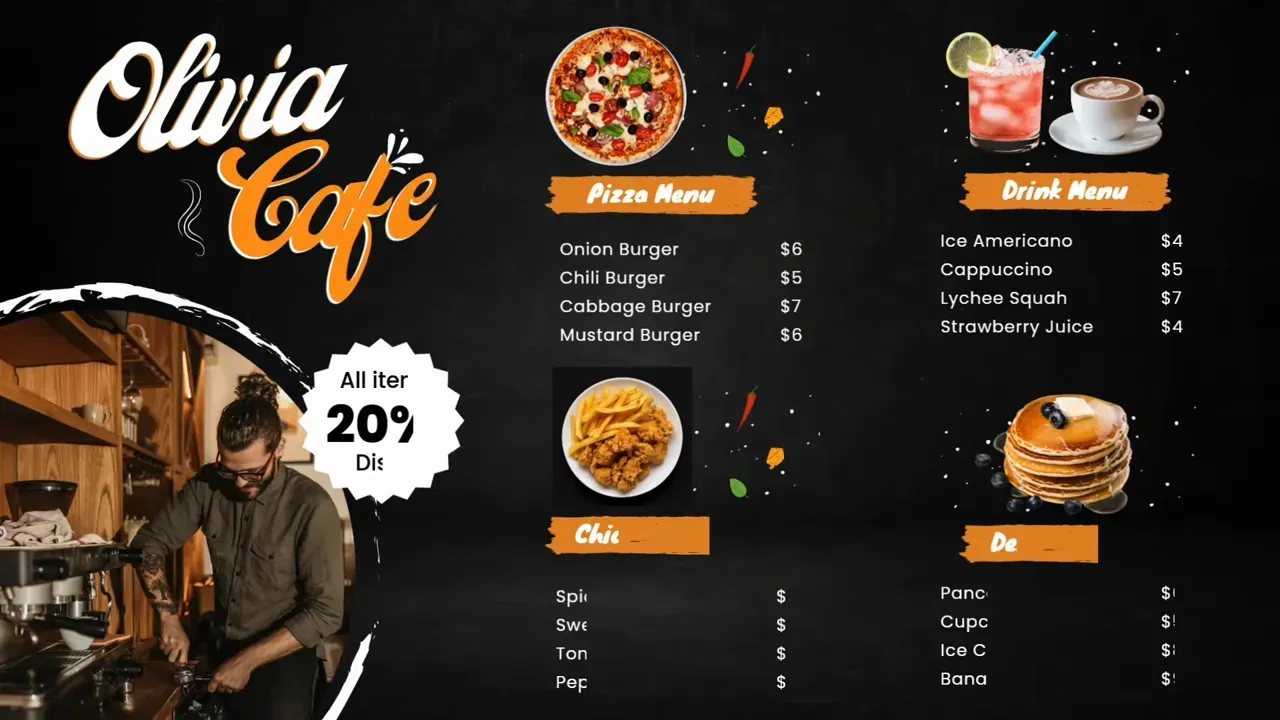
Restaurant digital signage replaces printed menus and posters with screens that show menus, prices, promotions and brand content. Content can change by time of day, location or stock availability.
With Pilosign, owners and franchise teams design menu boards from templates, schedule dayparts and roll out new offers to every restaurant from one dashboard.
Highlight specials, combos and limited-time offers right where customers decide.
Update prices and items instantly — no reprinting, no outdated boards.
Show breakfast, lunch, dinner and happy-hour menus automatically at the right time.
Keep branding and pricing aligned in every restaurant you run.
A few ideas teams start with — mix them into playlists and schedule them by time or location.
Full menus with prices, photos and allergen information.
Today's specials, combos, seasonal drinks and new items.
Live social posts and guest reviews to build trust.
Upcoming events, live sports and loyalty program sign-ups.
Plug in a player or open the Pilosign app on your TV, enter the registration code and the screen appears in your dashboard.
Start from a template or upload your own images and video, then add live apps like weather, news or dashboards.
Choose which screens show what and when, then publish — updates go live remotely across every location.
Quick answers to the questions teams ask before they bring screens into the room.
Screens that show menus, prices, promotions and brand content in a restaurant, updated remotely and scheduled by time of day.
Yes. Create a menu for each daypart and Pilosign switches them automatically on schedule.
Pilosign is free to use. Sign up, connect your screens and start publishing content today.
A screen, a media player and an internet connection. Pilosign runs on dedicated players, Android TV, Amazon Fire TV and many devices you may already own.
Yes. Every screen appears in one dashboard, so you can group screens by location and update one screen, a group or the whole network at once.
Pilosign is free to use. Connect your first screen and publish in minutes.
Bring your first screen to life in a few focused minutes.