How to Compare Digital Signage Software for Restaurants
A practical way to compare digital signage software for restaurants: menu templates, dayparts, local prices, drive-thru players, cost per screen and a trial.
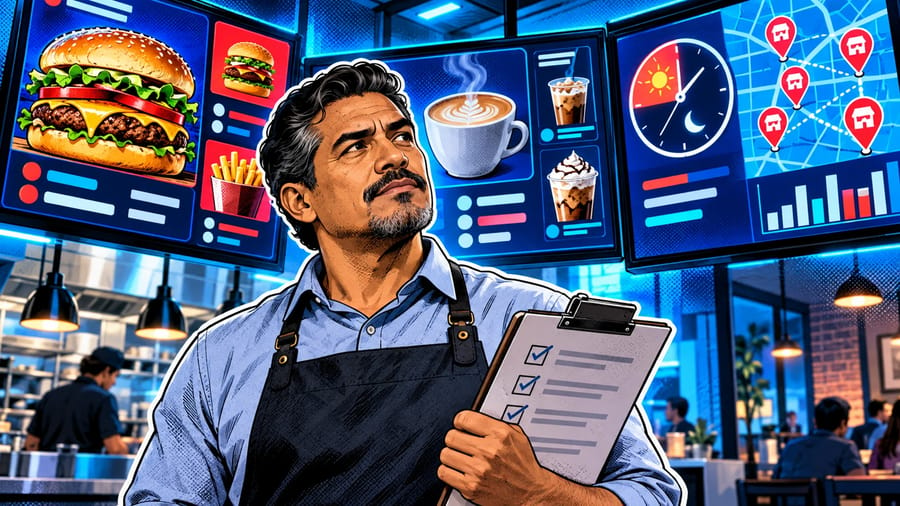
To compare digital signage software for restaurants, test each platform on the jobs your restaurants do every day: switching menus by daypart, changing prices, launching and ending limited-time offers, showing different prices per location, and keeping drive-thru and counter screens running. Generic software comparisons weigh dozens of features equally; restaurants need a few of them to work perfectly, every service. This guide lists the criteria that matter for cafés, quick-service chains and full-service restaurants, explains how to test each one in a short trial, and gives you a weighted scorecard so the choice rests on your own menus and screens rather than a demo.
Why restaurants need their own comparison
A restaurant menu board is not a slideshow. It must be readable from a queue in a few seconds, correct to the cent, and right for the time of day. It changes when an item sells out, when costs move or when a promotion starts, and the people making those changes are often busy shift managers, not designers. Software that is excellent for office lobbies can still be slow and fragile behind a counter.
For the general method, see the digital signage software comparison framework. This article applies it to food service. If you are new to the topic, start with the complete guide to digital menu boards.
The criteria that matter for restaurants
Menu templates. Look for templates built for menus: clear categories, large prices, room for photos, and layouts that stay readable at a distance. Check that brand elements stay fixed while items and prices change. Our guide to digital menu board software goes deeper on templates.
Daypart scheduling. Breakfast, lunch, dinner and late-night menus should switch on their own, on weekdays and weekends. Pilosign schedules content by time, day and location for one screen, a group or every location.
Local prices and items. Chains rarely charge the same everywhere. Test whether one template can carry different prices or items per location without maintaining dozens of copies.
Limited-time offers. Promotions should start and end on their own, so last week's deal never stays on screen.
Fast changes during service. Time how long it takes to hide a sold-out item or correct a price, from the moment you decide to the moment the screen changes.
Photos and short video. Menus sell with images and motion. Check that high-resolution photos and short loops play smoothly on your chosen player; see AI menu video templates for ideas.
Players for counters and drive-thrus. Counter screens can often run on a supported smart TV or streaming stick; drive-thrus and screens that run all day need dedicated players on a wired network. Pilosign runs on dedicated players, Android TV and Amazon Fire TV; the digital signage player page has the details.
Multi-location control. For more than one restaurant, you need screen groups by location, one dashboard and remote updates.
Cost per screen. Compare the total: software, players and the hours managers spend on updates. Pilosign is free to use, with templates, scheduling and remote management included.
How to test each criterion in a trial
Run the same five jobs in every platform, with your real menu.
Job 1: build your main menu board. Recreate the board above your counter from a template, with real photos and prices. Ask: could a shift manager maintain this?
Job 2: set up dayparts. Schedule breakfast to switch to lunch at 11:00 and lunch to dinner at 17:00, and check the switch happens on its own.
Job 3: change a price in two locations only. Note whether you edit one template or several copies.
Job 4: run a weekend offer. Schedule it for Friday morning to Sunday night and confirm it disappears on Monday.
Job 5: the busy-hour fix. During service, hide a sold-out item and time it.
Record the steps and minutes for each job, and who could do it without help.
Restaurant-specific questions to ask vendors
How do we schedule dayparts per location and per screen?
Can one menu template carry different prices per store?
What does a menu board show if the internet connection drops during service?
Which players do you recommend for drive-thru and outdoor screens?
How do shift managers make quick changes without breaking the layout?
What does it cost per screen as we add locations?
Write the answers down with the date, and confirm them in the trial.
A weighted scorecard for restaurants
Weights that suit most restaurants. Daypart scheduling 5, fast changes during service 5, menu templates 4, local prices 4 for chains (2 for a single site), players and reliability 4, cost per screen 3, multi-location control 4 for chains (1 for a single site).
Score after the five jobs. Give each platform 1 to 5 per criterion based on what you saw, multiply by the weight and add up.
Write one line of evidence per score. "Price change took 3 steps and 1 minute" is more useful in a decision meeting than "easy to use".
Comparing for different kinds of restaurant
Single café or bakery. Ease of use and a free or low-cost start matter most. A supported smart TV or streaming stick and good templates are usually enough; see free digital signage software for smart TVs.
Quick-service chain. Dayparts, local prices, drive-thru reliability and screen groups decide the choice. Test with at least two locations.
Full-service restaurant. Fewer menu changes, more focus on promotions, events and a calm atmosphere. Weight templates and scheduling of specials.
Food halls and multi-brand kitchens. Many brands on one site need separate menus and schedules per counter. Test grouping and naming carefully.
What a good menu board workflow looks like
When the right software is in place, a normal day should need almost no screen work. Use this picture as the target when you compare platforms.
Before opening. Screens switch on and show the breakfast menu on their own, with today's local prices.
Late morning. The lunch menu replaces breakfast at the time you set, on every screen in every location that serves lunch.
During service. A shift manager hides a sold-out item from the dashboard in under a minute, without touching the layout.
Afternoon. Head office schedules next week's offer for selected locations, with a start and an end date, and moves on.
Evening. Dinner or late-night content appears on time; the drive-thru board keeps running through the evening rush.
End of the week. The weekend offer ends on its own on Sunday night, and Monday starts with the normal menu.
If a platform needs someone at the screen, or a manual swap, for any of these steps, score it down on scheduling or ease of change. The restaurant digital signage use cases article lists more jobs you can add to your trial.
Common mistakes
Choosing on design alone. A beautiful demo menu is easy; the daily price change and the daypart switch are what matter.
Testing with sample content. Always test with your real menu, your real photos and your real price list.
Forgetting the drive-thru. Outdoor and drive-thru screens are the hardest to reach and the most important to keep running. Test the player you will actually use there.
Ignoring the shift manager. The person who will make changes at 7am should run at least one trial job.
FAQ
What is the most important feature when comparing digital signage software for restaurants? Daypart scheduling, closely followed by how quickly staff can make changes during service.
Can I use a regular TV for a menu board? For indoor counter screens, a supported smart TV or a TV with a streaming stick can work. Drive-thru and all-day screens are safer on dedicated players.
How long should a restaurant trial take? Two weeks with your real menu is enough to see dayparts, price changes and a weekend offer in action.
Do I need different software for one restaurant and a chain? Not necessarily, but a chain must weight local prices, screen groups and multi-location control much higher.
Start your comparison
Test with your own menu on your own screens: start with free digital signage software, build your main board and run the five jobs. See how Pilosign handles digital menu boards and restaurant digital signage, or talk to us about a chain rollout.